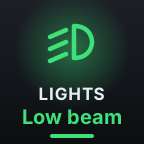
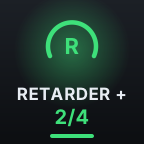
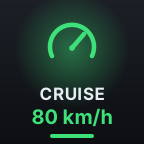
Talks to the game directly
Over 80 truck functions go straight into the game through the official SCS telemetry SDK. No keyboard shortcuts to set up or keep in sync, and nothing breaks when you change your controls.
For Euro Truck Simulator 2 & American Truck Simulator
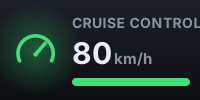
DeckyTrucky puts lights, brakes, retarder, cruise control and 80+ more functions on your keys, and lights them up exactly like the dashboard does. No key bindings to set up.
Free · Windows 10/11 · Stream Deck 7.1 or later · Steam versions of ETS2 and ATS
ProMeet Roadie, a talking AI co-driver that runs any command by voice
Free · What it does
Built for the way you actually drive: eyes on the road, hands on the wheel, the key you need exactly where your fingers expect it.
Over 80 truck functions go straight into the game through the official SCS telemetry SDK. No keyboard shortcuts to set up or keep in sync, and nothing breaks when you change your controls.
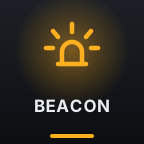
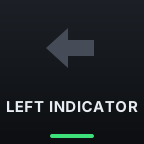
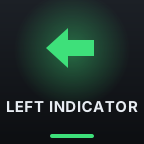
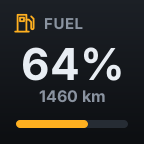
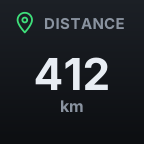
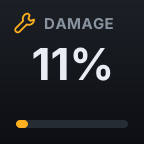
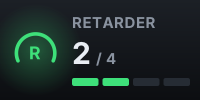
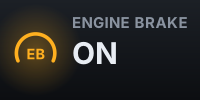
Every key shows the real state: beacon on, blinker ticking, parking brake set, retarder at 2 of 4. If the game changes it, your deck shows it.
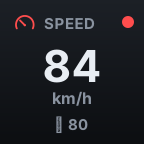
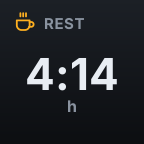
Speed and limit, fuel and range, AdBlue, damage, distance and time to destination, next rest stop, the current job, game clock and more.
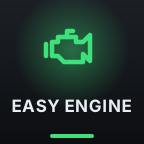
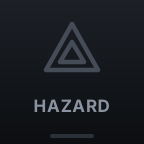
Easy Engine starts the truck in one press. Wipers have one key per speed. Turn signals, hazards and lights behave like real stalks and switches.


Quick save, screenshots, photo mode, map, cameras, mirrors, windows, suspension, radio: the things you would otherwise hunt for on the keyboard.

Works on every Stream Deck model, and everything the Stream Deck+ dials do is also available as keys. Speaks English, German, French, Spanish, Polish, Portuguese, Italian, Russian and Turkish.
Free · Stream Deck+
On Stream Deck+ the dials become the controls you'd turn in a real cab, with the touch strip showing the live value.
Roadie · talking AI co-driver
No typing, no screens. Tap the Roadie key, or a button on your wheel, and speak like you would to someone in the passenger seat. Roadie answers in a real voice, sees what your dashboard sees and knows your job and your route.
What a drive sounds like
You say
“Beacon on, and the hazards too.”
Roadie says
“Done. Beacon and hazards are on.”

You say
“Which of these job offers is actually worth it?”
Roadie says
“The bulldozers from Berlin to İstanbul. 48,250 for 2,210 km, the best per kilometre on the board. Long one, though: plan a sleep around Sofia.”
Roadie, on its own
“Ease off a bit, the limit's 80 here.”
A Stream Deck Mini has six keys, and even an XL can't hold a whole cab. Roadie can run every one of DeckyTrucky's 88 commands by voice, so a single key, or a button on your wheel, puts everything within reach.
No AI subscription
Roadie works with a free Gemini API key from Google AI Studio. You create it yourself in about two minutes and paste it in, no credit card needed. On our own long test drives the free tier was plenty. Want more headroom? Switch your key to Google's paid plan whenever you like.
You pay $5 once for DeckyTrucky Pro; you never pay us for the AI.
Private by design. Roadie only listens after you press its key or your wheel button. Your key and your voice go from your PC straight to Google, never through our servers. Needs a microphone and an internet connection.
Yes. All truck controls, lamps, gauges and Stream Deck+ dials are free. Roadie, the talking co-driver, is part of DeckyTrucky Pro, a one-time $5 upgrade. No subscription.
Pay $5 with PayPal using the Get Pro button. Your licence key is emailed to your PayPal address, usually within a few hours and always within 24 hours. Paste the key into the settings of the AI Co-driver key and press Activate. PayPal not available where you live (for example in Türkiye)? Email us and we reply with bank transfer details; the key arrives the same way once the payment is in. Questions or no email after a day? Write to hello@deckydocky.com.
No. Roadie runs on a Gemini API key that you create yourself for free in Google AI Studio, with no credit card. Google's free tier has usage limits; on our long test drives we never ran into them. If you ever want more, you can move your key to Google's paid plan, which Google bills to you directly. There is no AI subscription with us.
Yes. With DeckyTrucky Pro, Roadie can run all 88 commands by voice, so a single key, or just a button on your wheel, gives you lights, brakes, retarder, cameras and everything else.
No. DeckyTrucky installs a small plugin into the game folder that the game itself loads, and sends functions through it. Your existing controls and wheel setup stay exactly as they are.
Yes. It doesn't touch your wheel or its bindings. With Pro you can even pick a wheel button to call Roadie.
No. DeckyTrucky only reads your save files (for the job advisor and your location); it never writes to them. The game plugin can be removed from the key settings with one click.
Any. Mini, MK.2, XL, Neo, Stream Deck+ and the mobile app all work. The Stream Deck+ dial functions are also available as normal keys.
No. It's an independent, fan-made tool built on the official SCS telemetry SDK.
DeckyTrucky 1.0 arrives a few days before the next big ETS2 update, so you have time to install it and set up your deck. When the game changes, we ship updates as fast as we can.